dta_km <- sample_survival_data(n = 500, seed = 42)
km <- hv_survival(dta_km)5 Annotating figures and formatting axes
Every hvtiPlotR (Ehrlinger 2026) plot renders as a bare ggplot object: no labels, annotations, or cropping are applied by the constructor. You add those by chaining + layers. This chapter covers axis/title text (labs()), in-panel annotations (annotate()), viewport cropping (coord_cartesian()), and draft footnotes (make_footnote()).
5.1 When to use it
A bare plot shows the data correctly but says nothing about what the data mean. The decorations in this chapter are how you turn a correct plot into one a reader can interpret without your narration. You add labels so the axes name real quantities, an annotation so a sample size or a landmark is on the panel rather than in the caption, a crop so the eye lands on the region that carries the story, and, while the work is still in progress, a draft footnote so nobody mistakes a working figure for a final one.
Think of it as the last pass before a figure leaves your hands. The plot is right; now make it legible. Each tool below is small, and you reach for them in combination: a labelled, cropped curve with an n = callout is the everyday case. We build one base Kaplan-Meier plot and decorate it throughout, so you can see each layer added to the same starting point.
5.2 Labels with labs()
labs() sets axis labels, title, subtitle, legend title, and caption. Set them on the rendered plot so they can be overridden per project.
plot(km) +
  scale_color_manual(values = c(All = "steelblue"), guide = "none") +
  scale_fill_manual(values  = c(All = "steelblue"), guide = "none") +
  scale_y_continuous(breaks = seq(0, 100, 20),
                     labels = function(x) paste0(x, "%")) +
  scale_x_continuous(breaks = seq(0, 20, 5)) +
  coord_cartesian(xlim = c(0, 20), ylim = c(0, 100)) +
  labs(
    title   = "Overall Survival",
    x       = "Years after Operation",
    y       = "Freedom from Death (%)",
    caption = "Logit CI, α = 0.6827 (1 SD)"
  ) +
  theme_hv_manuscript()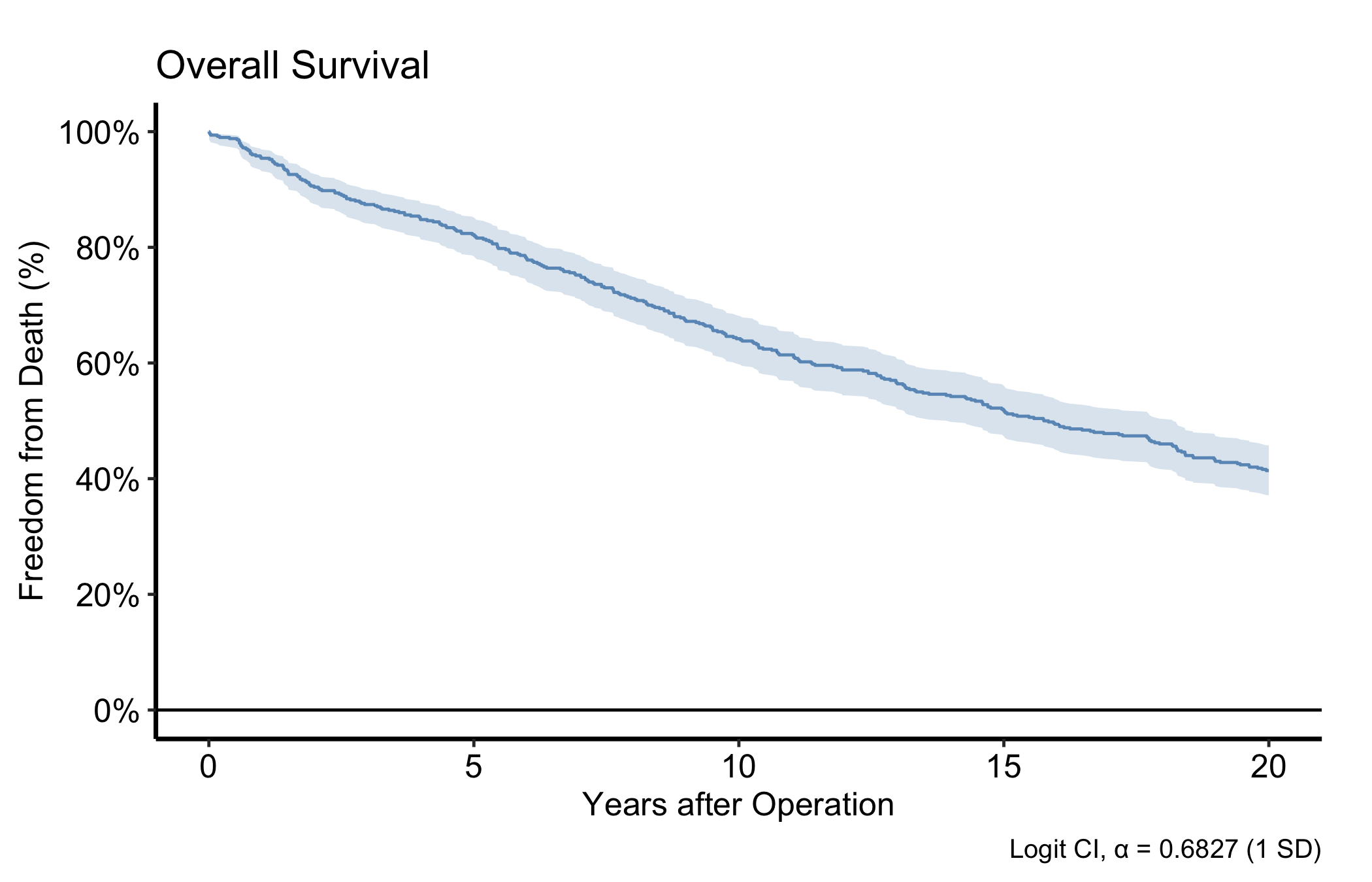
5.3 Annotations with annotate()
annotate() places text, segments, or arrows at fixed data coordinates — a sample-size callout in a corner, or an arrow pointing to an event.
plot(km) +
  scale_color_manual(values = c(All = "steelblue"), guide = "none") +
  scale_fill_manual(values  = c(All = "steelblue"), guide = "none") +
  scale_y_continuous(breaks = seq(0, 100, 20),
                     labels = function(x) paste0(x, "%")) +
  scale_x_continuous(breaks = seq(0, 20, 5)) +
  coord_cartesian(xlim = c(0, 20), ylim = c(0, 100)) +
  labs(x = "Years after Operation", y = "Freedom from Death (%)") +
  annotate("text",    x = 1,  y = 5,
           label = paste0("n = ", nrow(dta_km)),
           hjust = 0, size = 3.5) +
  annotate("segment", x = 10, xend = 10, y = 30, yend = 50,
           arrow = arrow(length = unit(0.2, "cm")), colour = "grey40") +
  annotate("text",    x = 10.3, y = 40,
           label = "Median survival", hjust = 0, size = 3, colour = "grey40") +
  theme_hv_manuscript()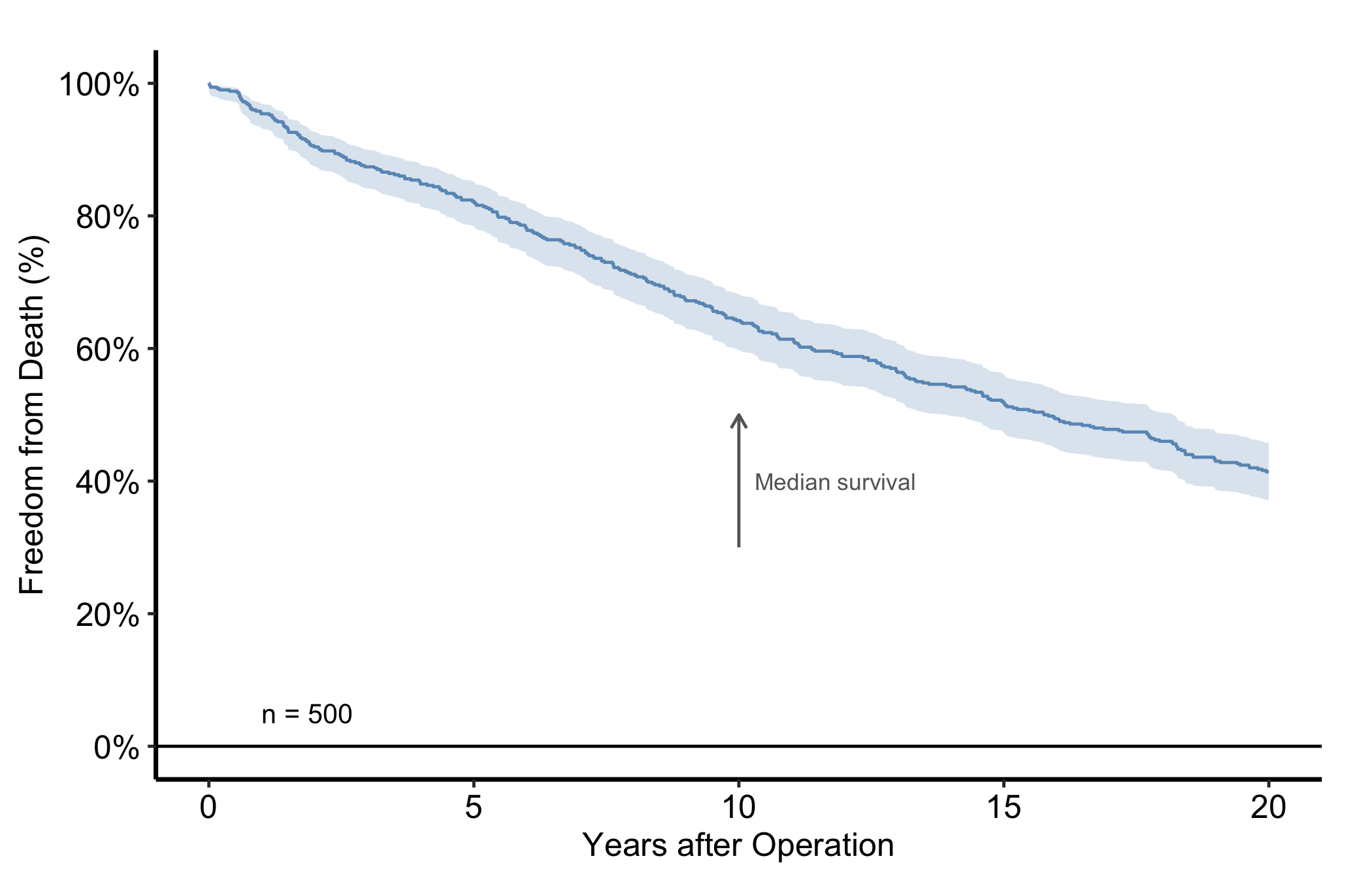
5.4 Cropping with coord_cartesian()
coord_cartesian() crops the viewport without dropping data, so any fit computed on the full range is preserved. This is the distinction that trips up nearly everyone at some point. coord_cartesian(xlim = ...) is a camera: it zooms in on a region while every point and every fitted line still knows about the data outside the frame. scale_x_continuous(limits = ...) is a filter: it removes the out-of-range data before anything is drawn, so a LOESS smooth or a regression line is now fitted to a subset and can shift, sometimes dramatically. When you only want to crop the view, reach for coord_cartesian() every time.
dta_trends <- sample_trends_data(n = 600, seed = 42)
p_base     <- plot(hv_trends(dta_trends))

p_base +
  scale_colour_brewer(palette = "Set1", name = "Group") +
  scale_shape_manual(
    values = c("Group I" = 15, "Group II" = 19,
               "Group III" = 17, "Group IV" = 18),
    name = "Group"
  ) +
  labs(x = "Surgery Year", y = "Outcome") +
  coord_cartesian(xlim = c(1995, 2020), ylim = c(20, 70)) +
  theme_hv_manuscript()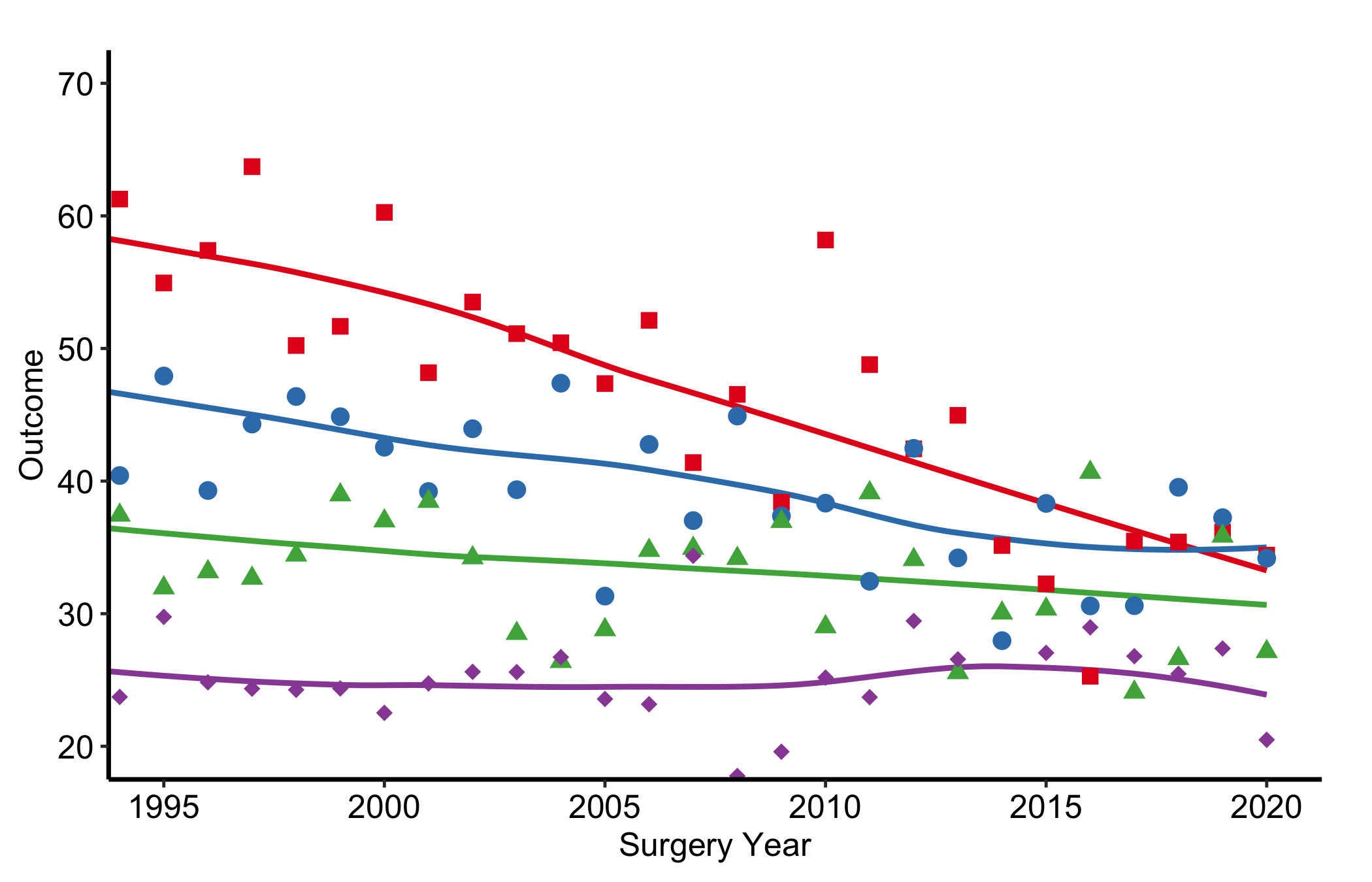
5.5 Draft footnotes with make_footnote()
make_footnote() stamps the bottom-right corner of the current graphics device using grid. Call it after print()ing a plot to flag a work-in-progress figure. The ggplot object itself is untouched, so the final ggsave() output is clean.
# During analysis                   # For publication
print(p)                             ggsave("fig1.pdf", p, ...)
make_footnote("R/analysis.R")        # <- no footnote call
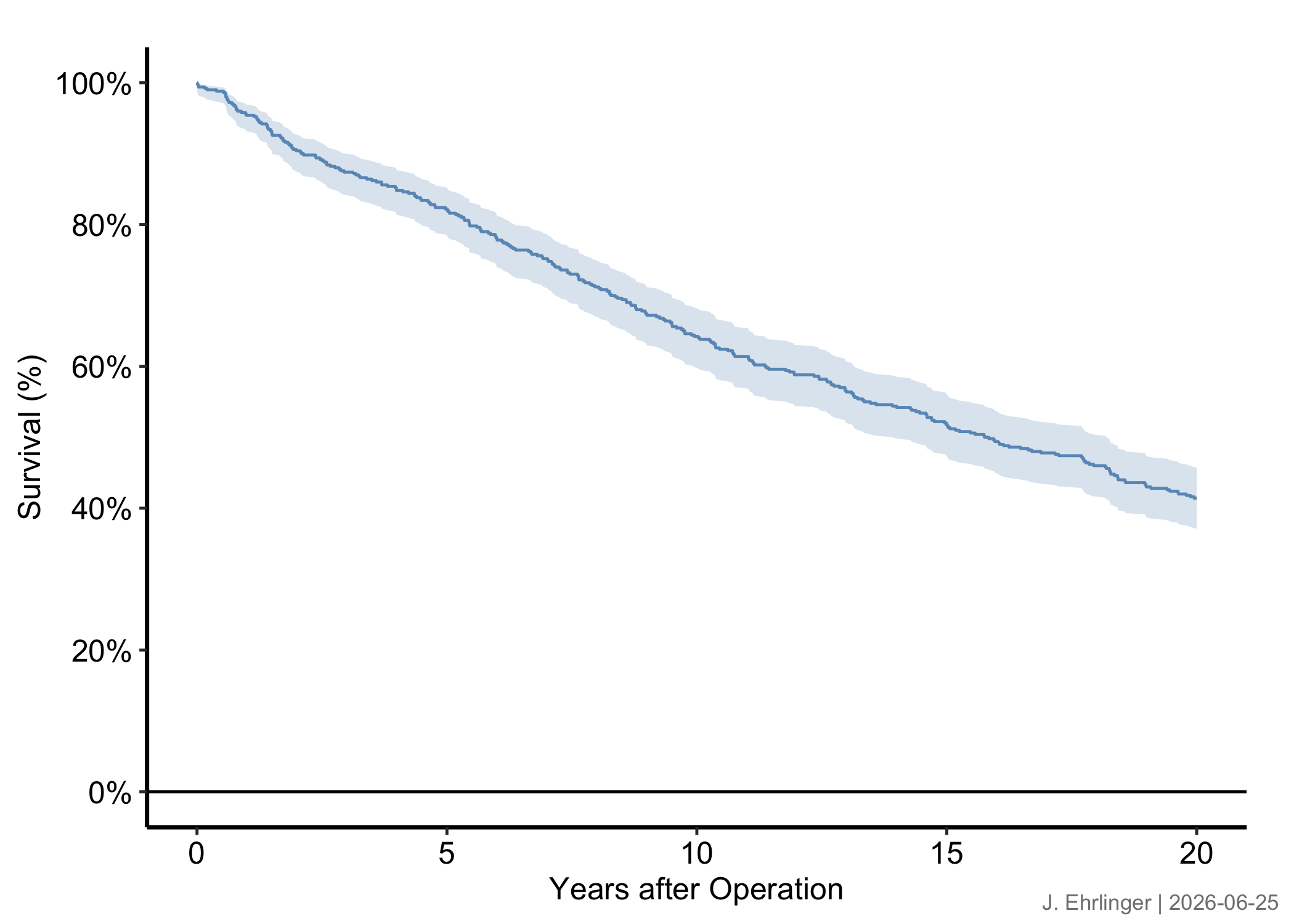
Build any figure, then print() it and call make_footnote() with the source path. The default stamp appends a timestamp.
p_draft <- plot(km) +
  scale_color_manual(values = c(All = "steelblue"), guide = "none") +
  scale_fill_manual(values  = c(All = "steelblue"), guide = "none") +
  scale_y_continuous(breaks = seq(0, 100, 20),
                     labels = function(x) paste0(x, "%")) +
  scale_x_continuous(breaks = seq(0, 20, 5)) +
  coord_cartesian(xlim = c(0, 20), ylim = c(0, 100)) +
  labs(x = "Years after Operation", y = "Survival (%)") +
  theme_hv_manuscript()

print(p_draft)
make_footnote("annotation.qmd")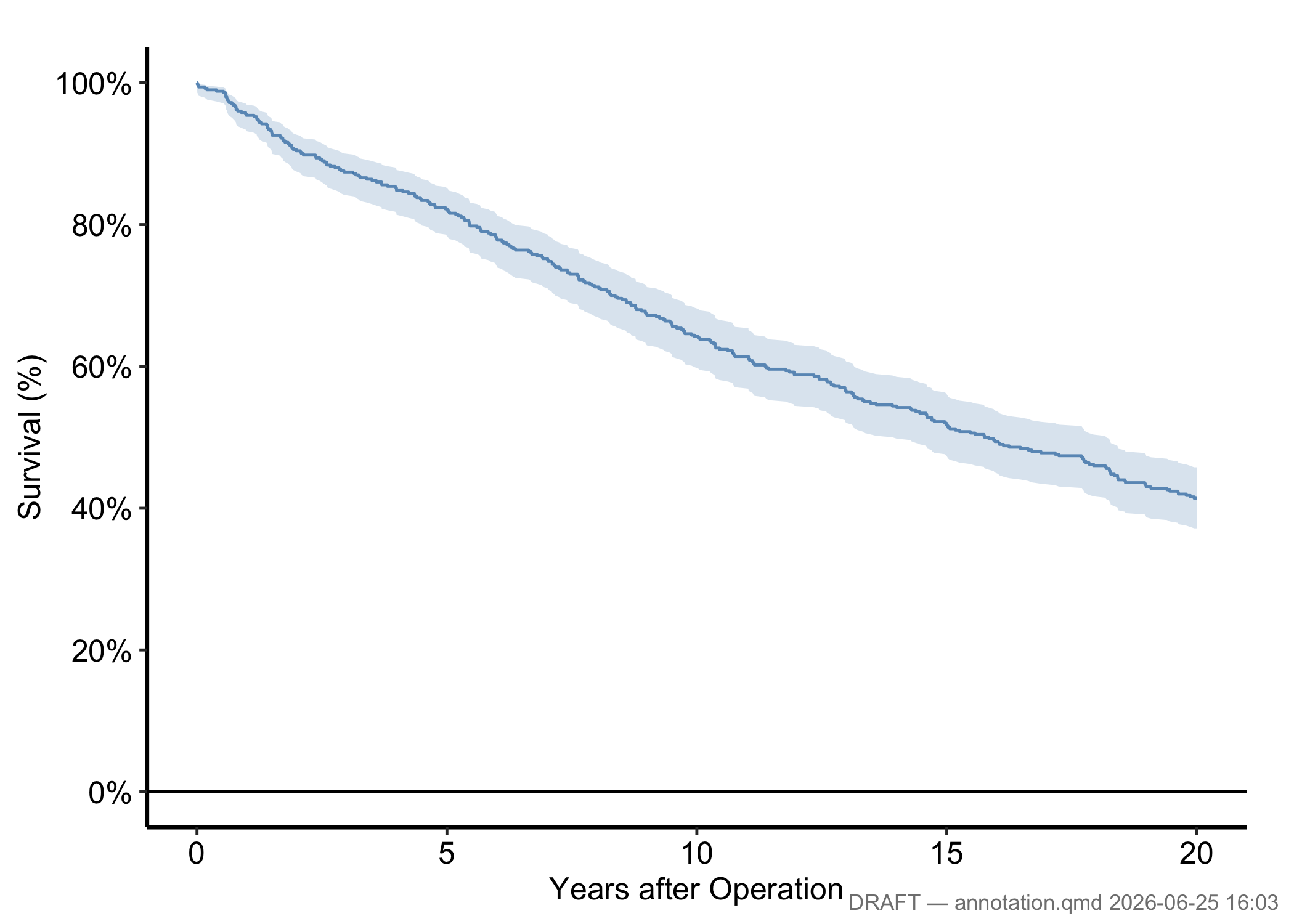
Pass any string as text and set timestamp = FALSE for a stable analyst tag.
print(p_draft)
make_footnote(
  text      = paste("J. Ehrlinger |", Sys.Date()),
  timestamp = FALSE,
  prefix    = ""
)
For publication, write the ggplot object directly with ggsave() and simply omit the make_footnote() call. The saved file carries no stamp.
5.6 Pitfalls
coord_cartesian()zooms,scale_*(limits =)drops. This is the one to memorise. If you set limits on the scale to “zoom in,” you have silently thrown away the data outside the window, and any smoother, ribbon, or summary refits to what is left. The curve you see is then a fit to a subset, not the region of a fit to everything. Usecoord_cartesian()when you want the same fit, viewed closer. Use a scale limit only when you genuinely mean to exclude data, and say so.- A draft footnote left on a final figure.
make_footnote()stamps the device, not the ggplot object, which is the safe design: the stamp cannot survive into aggsave()file unless you deliberately keep printing and stamping. The failure mode is human, not technical. You screenshot a working figure mid-analysis, the file path and timestamp ride along, and it ends up in a slide deck. Keep draft stamps to the analysis session and let the publication path be the plainggsave().