Sometimes overlaying every group on one panel turns into spaghetti: too many colours, too many overlapping clouds, and the comparison you wanted is lost. The fix is to give each group its own small panel and line them up on a shared grid. The result is a “postage stamp” plot, the same plot repeated across the levels of a categorical variable, each panel reading like a stamp on a sheet. Because every panel shares the same axes and geometry, your eye compares them the way it compares photographs in a contact sheet: the layout does the alignment for you. Reach for it when one figure has to carry a per-subgroup comparison and an overlay would be too busy.
hvtiPlotR has no helper for this layout, so we build it with base ggplot2’s (Wickham et al. 2026)facet_wrap() and apply the house theme theme_hv_manuscript() for visual consistency. The faceting is the whole trick: you write one ggplot() call describing a single panel, add facet_wrap(), and ggplot2 repeats the panel once per group.
19.2 The data it needs
A faceted scatter needs an x and a y for the relationship inside each panel, plus a categorical column to split the panels on. We use hvtiPlotR::sample_eda_data() with op_years (years since first surgery) for x and ef (ejection fraction) for y, and we facet on operative year. A postage stamp only earns its keep when there are many small panels, so we restrict to a nine-year window, which lays out as a clean three-by-three sheet.
dat <-sample_eda_data()# A nine-year window facets into a 3 x 3 sheet of small multiples.dat <- dat[dat$year %in%2012:2020, ]dat$year <-factor(dat$year)xvar <-"op_years"yvar <-"ef"grp <-"year"c(x = xvar, y = yvar, facet = grp, panels =nlevels(dat[[grp]]))
         x          y      facet     panels
"op_years"       "ef"     "year"        "9"
The .data[[xvar]] idiom is how ggplot2 reads a column name held in a variable, so the recipe runs against whatever columns you name. Faceting on a window of years turns one busy overlay into a contact sheet you read year by year; substitute your own grouping (centre, severity class, era) and the mechanics are identical.
19.3 Build it
Each panel shows the relationship between the two numeric variables for one level of the faceting variable, with a loess trend (a flexible local-regression curve) to summarise the pattern within each subgroup. facet_wrap() lays the panels out left to right and wraps to a new row when it runs out of width.
ggplot(dat, aes(x = .data[[xvar]], y = .data[[yvar]])) +geom_point(alpha =0.4, size =0.8) +geom_smooth(method ="loess", se =FALSE) +facet_wrap(vars(.data[[grp]]), ncol =3) +labs(title ="Small-multiple panels by operative year",x = xvar,y = yvar ) +theme_hv_manuscript()
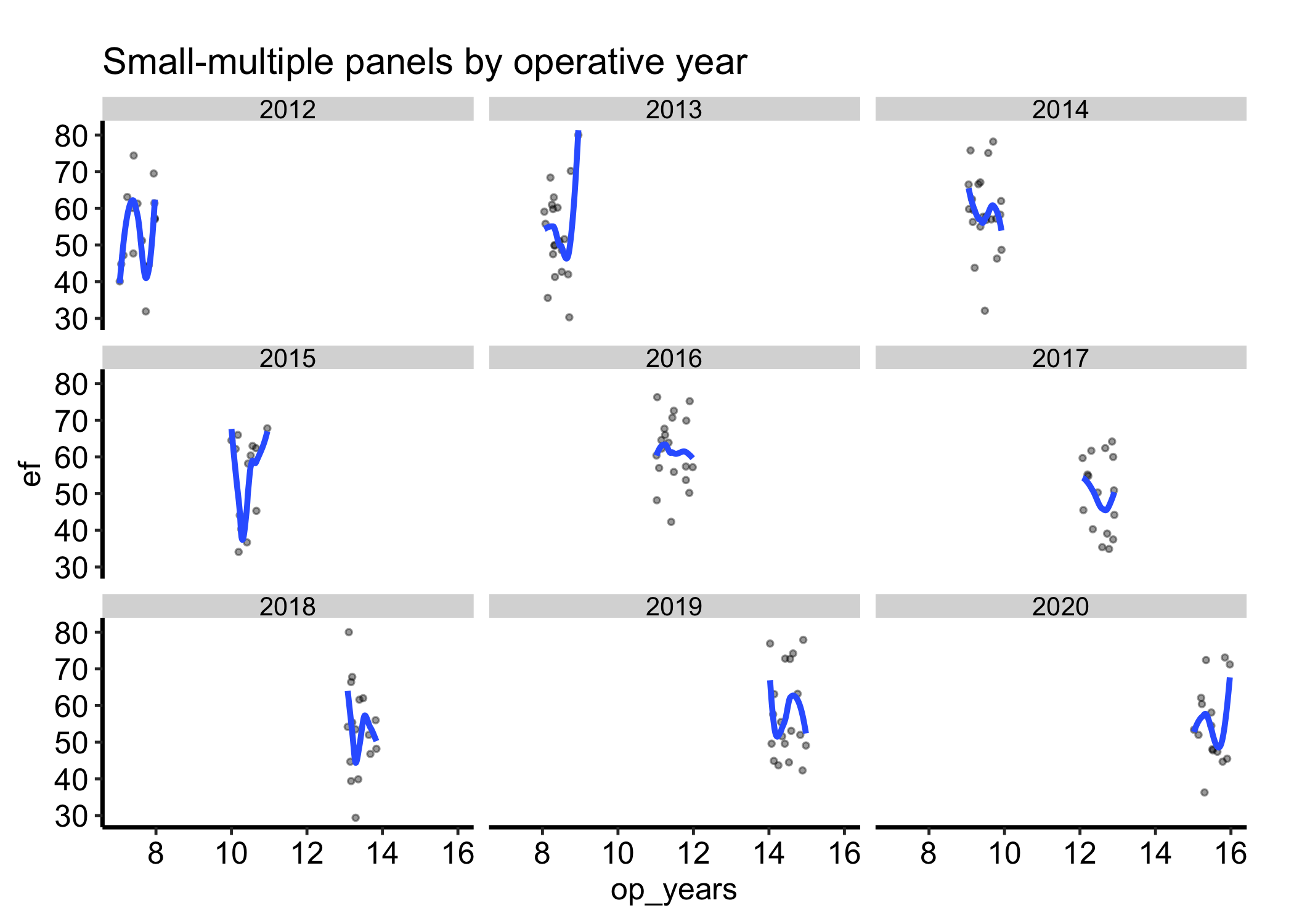
Figure 19.1: Ejection fraction against years from surgery, faceted into a three-by-three sheet of small multiples by operative year on shared axes
The key is that all nine panels share one x-axis and one y-axis. The smooth in each panel is computed from that panel’s data alone, so the curves are directly comparable: a higher curve in one panel really does mean a higher y there, not a trick of a rescaled axis.
19.4 Read it
Read a postage stamp plot by comparing panels, not by studying any one in isolation.
Compare on the shared scale. The point of the layout is that the axes are fixed across panels, so a difference in height or slope between two panels is a real difference in the data. Trust the comparison only as long as the scales are shared; the moment you free the scales (see below) the panels no longer line up and cross-panel reading breaks.
Look at the trend per panel. Each panel’s smooth summarises that subgroup. Do the curves rise in some panels and fall in others? A pattern that differs by panel is exactly the interaction a single overlaid plot would have buried.
Watch the density of points. A panel with few points (a year with fewer operations) gives a smooth you should not over-read; the curve is drawn with the same confidence as a panel backed by ten times the data.
19.5 Variations
19.5.1 Fixing the panel layout
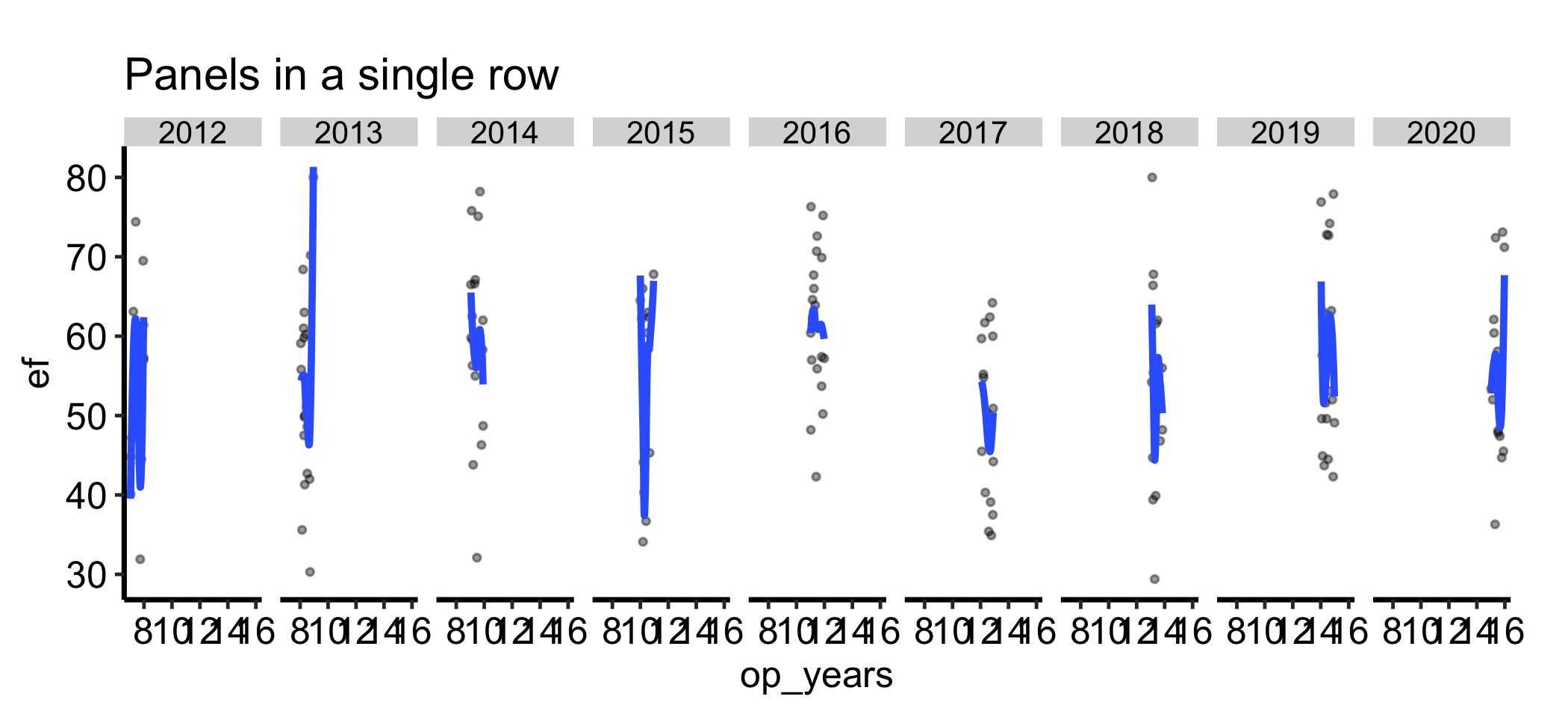
facet_wrap() chooses a roughly square grid by default. When you want the panels in a single row to emphasise a left-to-right comparison, or in a single column to stack them, set nrow or ncol directly.
ggplot(dat, aes(x = .data[[xvar]], y = .data[[yvar]])) +geom_point(alpha =0.4, size =0.8) +geom_smooth(method ="loess", se =FALSE) +facet_wrap(vars(.data[[grp]]), nrow =1) +labs(title ="Panels in a single row",x = xvar,y = yvar ) +theme_hv_manuscript()
Figure 19.2: The same panels forced into a single row to emphasise a left-to-right comparison
19.5.2 Free scales, used deliberately
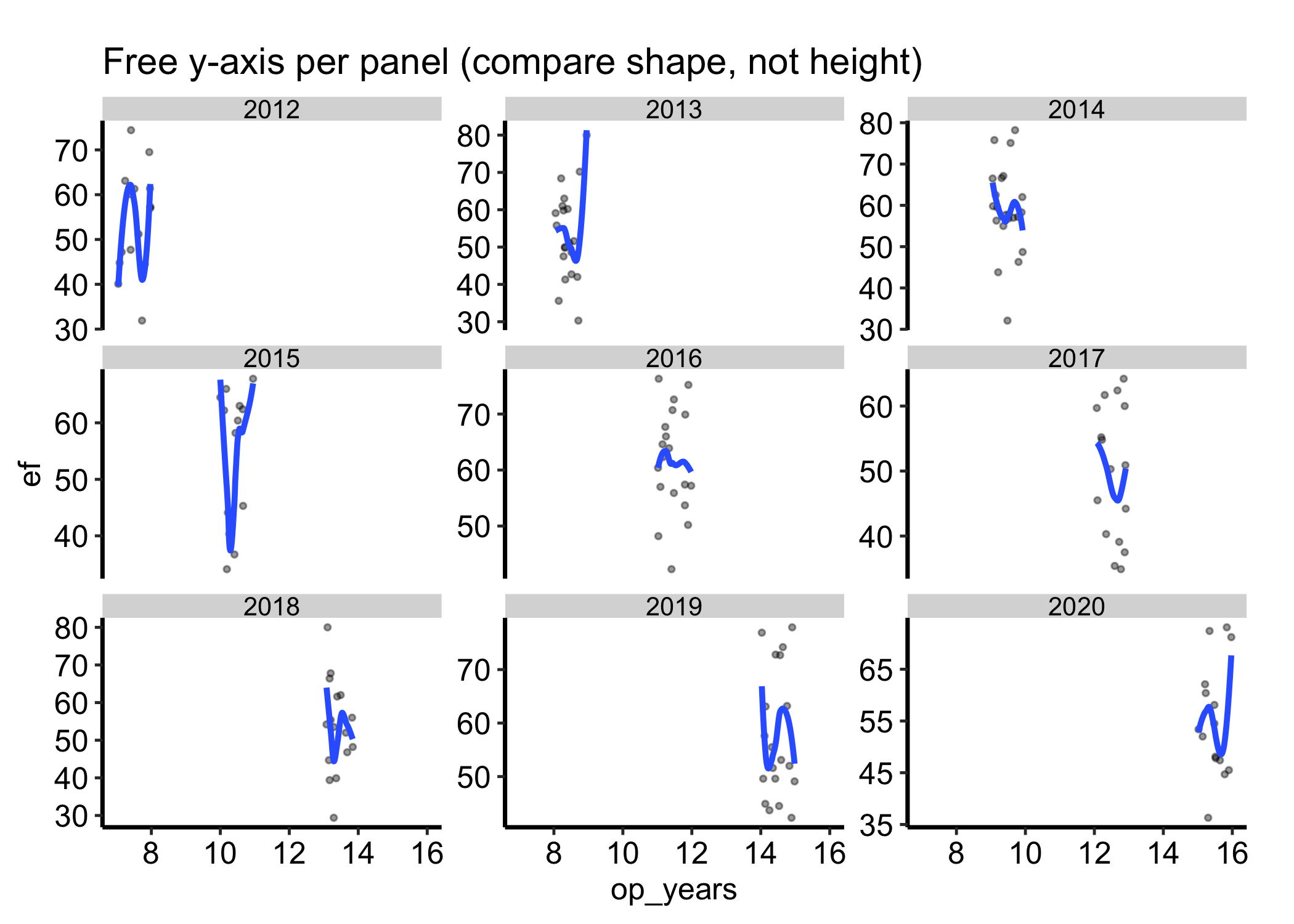
By default every panel shares both axes, which is what makes cross-panel reading honest. Sometimes one group lives on a different range and the shared scale squashes it flat. scales = "free_y" lets each panel set its own y-axis. Use it only when you care about the shape inside each panel rather than comparing heights across them, and say so in the caption, because the panels no longer line up.
ggplot(dat, aes(x = .data[[xvar]], y = .data[[yvar]])) +geom_point(alpha =0.4, size =0.8) +geom_smooth(method ="loess", se =FALSE) +facet_wrap(vars(.data[[grp]]), scales ="free_y") +labs(title ="Free y-axis per panel (compare shape, not height)",x = xvar,y = yvar ) +theme_hv_manuscript()
Figure 19.3: Panels with a free y-axis per group, for comparing the shape within each panel rather than heights across them
19.6 Pitfalls
Free scales by accident. The default shared scale is what makes the panels comparable. Switching to scales = "free" or "free_y" without flagging it lets a reader compare panel heights that are no longer on the same axis, which is the most common way a small-multiples figure misleads. Free the scales only on purpose, and label it.
Too many panels. A facet over a high-cardinality variable produces a wall of tiny panels nobody can read. If a categorical has more than eight or so levels, collapse the rare ones into an “Other” group, or pick the levels worth showing, before you facet.
Unhelpful panel order.facet_wrap() orders panels by the factor levels, which default to alphabetical. When the variable has a natural order (severity, era, anatomical class), reorder the factor first so the panels read in that order; otherwise the trend across panels is scrambled.
Over-reading a thin panel. A subgroup with few observations gets a panel and a smooth that look just as authoritative as a well-populated one. Note the per-panel counts, or let the sparse panel speak for itself, rather than reading a confident-looking curve off a dozen points.
Wickham, Hadley, Winston Chang, Lionel Henry, et al. 2026. Ggplot2: Create Elegant Data Visualisations Using the Grammar of Graphics. https://ggplot2.tidyverse.org.