This chapter covers the two figures we reach for to vouch for a study before we report a single outcome from it. The covariate balance plot says the groups we are comparing were actually comparable. The goodness-of-follow-up plot says we kept track of the patients long enough to believe the outcome. Neither is the headline figure of a paper, but a reviewer who does not see them will ask, and both belong in the same quality-control habit.
23.1 Covariate balance plots
23.1.1 When to use it
Whenever you compare two groups that were not randomized (a propensity-matched SAVR-versus-TAVR cohort, say, or an inverse-probability-weighted analysis) the first question is whether the comparison is fair. If the treated patients were sicker to begin with, any difference in outcome could just be that. The covariate balance plot is how we show, covariate by covariate, that matching or weighting pulled the two groups together.
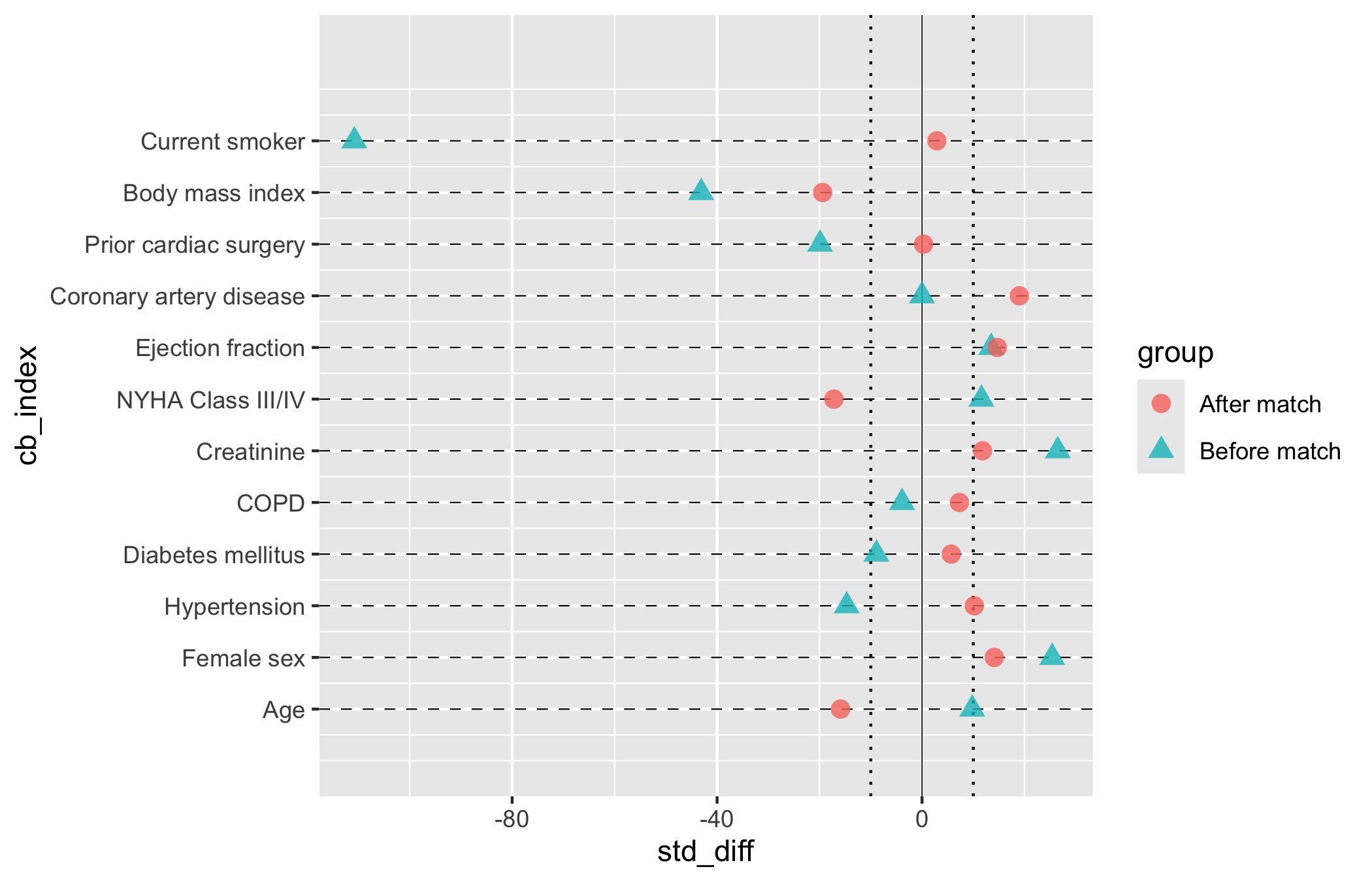
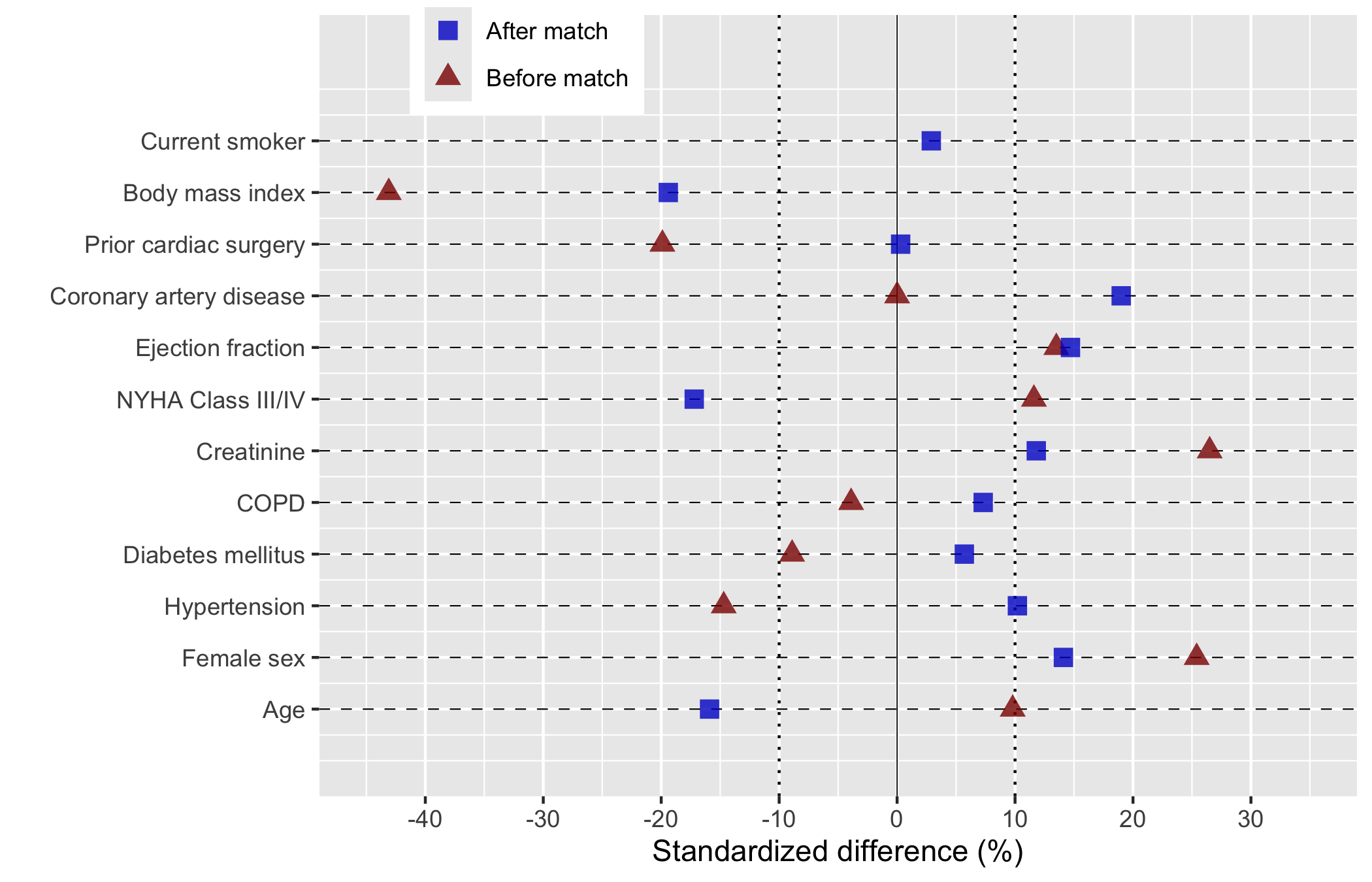
Each covariate is a row. A point shows the standardized mean difference (SMD, the gap between groups in standard-deviation units, scaled to a percent) for each comparison stage, usually before and after matching. A solid line at zero marks perfect balance; dotted guides at plus and minus ten percent give the eye a threshold for “close enough.” hv_balance()(Ehrlinger 2026) prepares the data and plot() hands back a bare ggplot to style with +.
23.1.2 The data it needs
hv_balance() wants long format: one row per covariate-by-group combination, with a column for the covariate name, one for the group label ("Before match", "After match"), and one for the numeric SMD. sample_covariate_balance_data() returns 12 covariates already in that shape, with columns variable, group, and std_diff.
           variable        group std_diff
1               Age Before match      9.8
2        Female sex Before match     25.4
3      Hypertension Before match    -14.7
4 Diabetes mellitus Before match     -8.9
5              COPD Before match     -3.9
6        Creatinine Before match     26.5
# Build the S3 object once; reuse for all plot variants belowcb <-hv_balance(dta_cb)
If your numbers arrive in wide format (one column per stage, as a summary table or spreadsheet export usually does), reshape to long first. reshape() from base R does it in one call: name the two stage columns in varying, give the stacked value column a name with v.names, and tell it which column identifies the covariate.
                              variable        group std_diff
Age.Before match                   Age Before match     22.1
Female sex.Before match     Female sex Before match    -15.3
Hypertension.Before match Hypertension Before match     18.7
Diabetes.Before match         Diabetes Before match     -9.4
COPD.Before match                 COPD Before match     11.2
Age.After match                    Age  After match      3.5
23.1.3 Build it
Start from the bare panel to see what the constructor produced. One covariate per row, points at their SMD values, and no colour, shape, axis limits, or theme yet.
plot(cb, alpha =0.8)
Now layer on the house style. We map "Before match" to red triangles and "After match" to blue squares, the colour convention this team has used for years, and widen the x-axis enough to hold the largest pre-match SMD. Symmetric breaks around zero make the plus-or-minus-ten-percent threshold easy to eyeball.
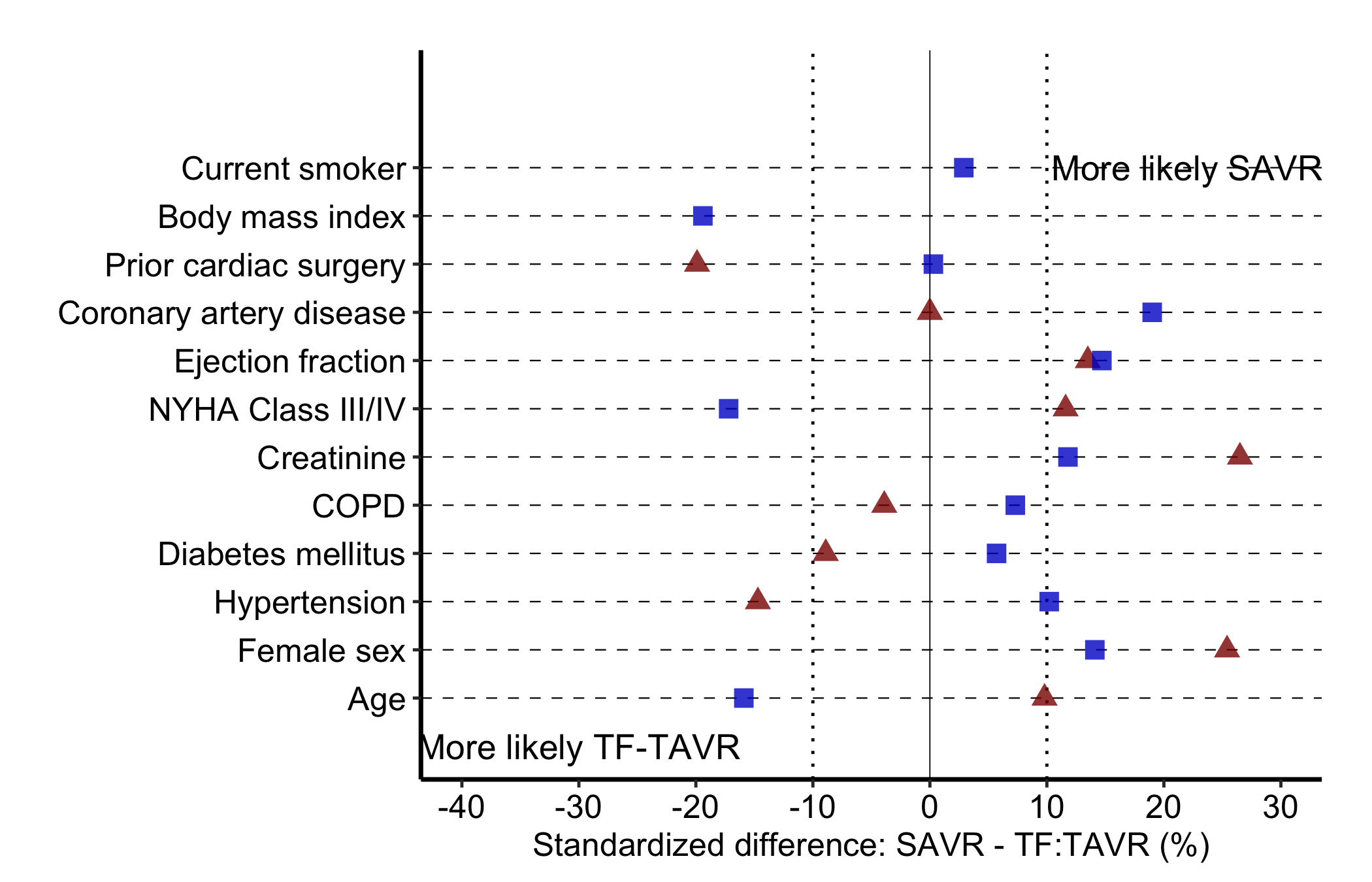
For a finished figure, place the legend and direction-of-imbalance labels inside the panel and switch on the manuscript theme. annotate() puts text at chosen data coordinates, here at the far left and far right rows, so the reader knows which direction favours which group. n_vars reads the covariate count off the data so the top annotation lands on the top row no matter how many covariates you have.
Figure 23.1: Covariate balance plot showing standardized mean differences before and after matching, with direction-of-imbalance annotations
23.1.4 Read it
Read down the rows, comparing the two points in each:
The after-match points should collapse toward zero. That is the whole claim of the figure. Blue squares sitting inside the dotted plus-or-minus-ten guides, with red triangles further out, is balance achieved by matching.
Watch any covariate that stays imbalanced. A blue point still well past ten percent is a variable matching did not fix. You either adjust for it in the outcome model or say so in the limitations.
The annotations name the direction. A positive SMD means one group has more of that covariate; the panel labels tell the reader which. Without them a reviewer cannot tell whether “More likely SAVR” sits left or right.
23.1.5 Variations
23.1.5.1 Controlling covariate order
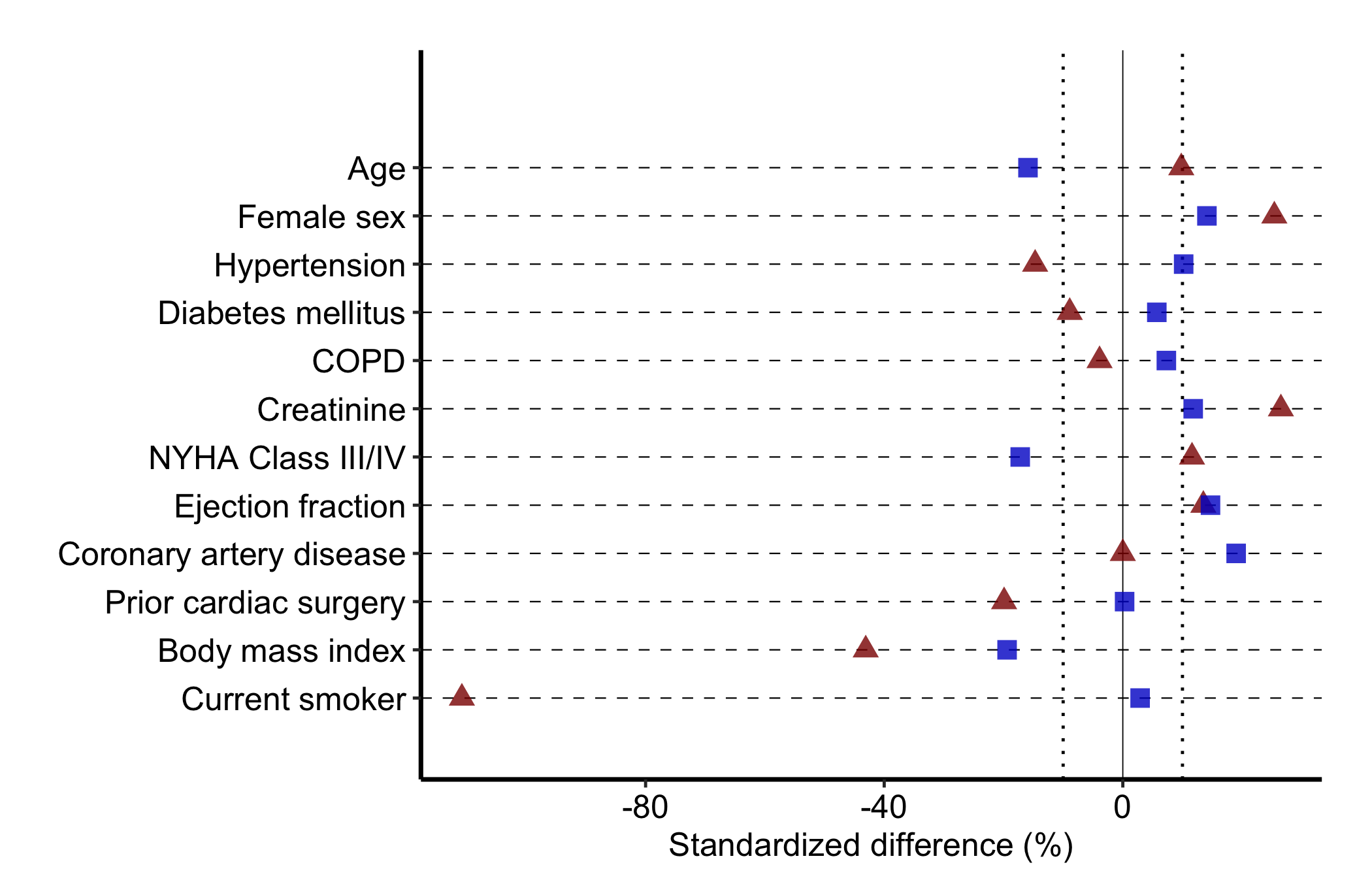
Pass var_levels to the constructor to set the bottom-to-top order of rows. Supply any vector containing all the covariate names; the example reverses the default. Order covariates the way a reader scans them, often most-imbalanced at top, rather than by data-frame order.
Figure 23.2: Covariate balance plot with the row order reversed to control how a reader scans the covariates
23.2 Goodness-of-follow-up plots
23.2.1 When to use it
A survival or time-to-event analysis is only as trustworthy as its follow-up. If patients vanished from the records early, an apparent absence of events may just be an absence of looking. The goodness-of-follow-up plot is how we show a reviewer that the cohort was tracked across the whole study window, not just at the start.
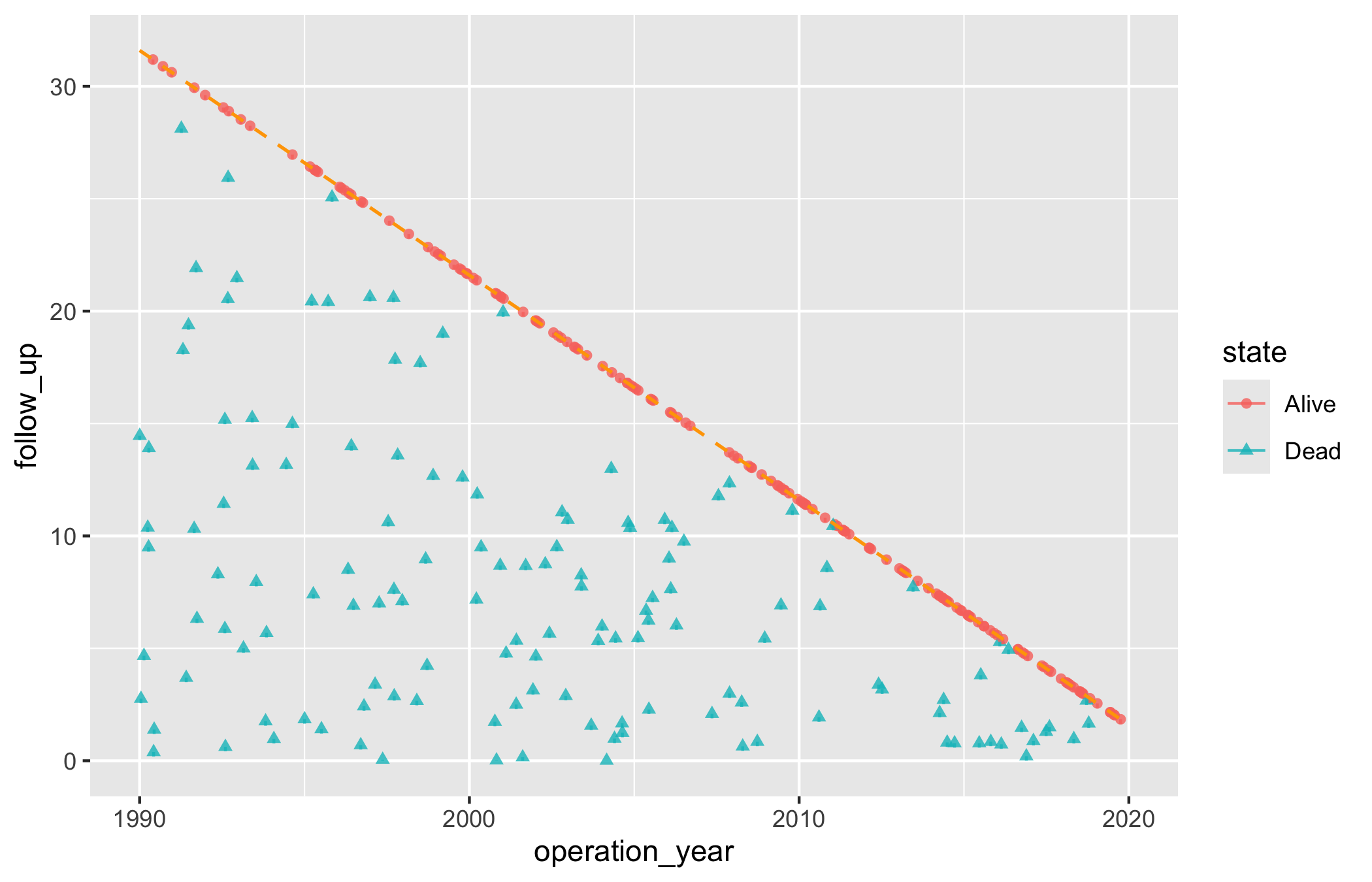
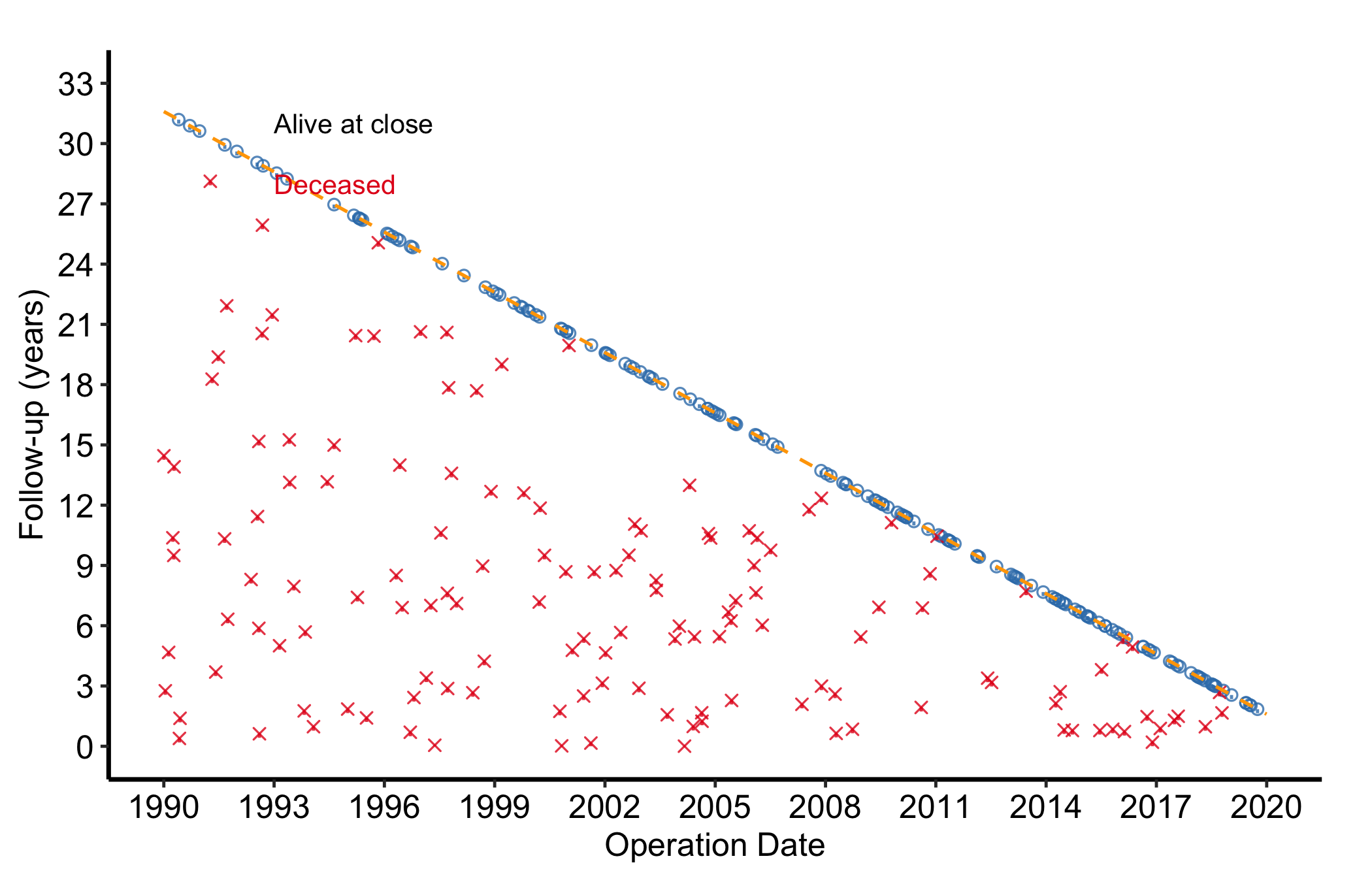
Each patient is a point at their operation date (x-axis) and follow-up duration (y-axis), with a short tick below. A dashed diagonal marks the maximum follow-up the study window alone could explain: a patient operated on early could be followed for many years, one operated on late for only a few. Points above the diagonal have more follow-up than the window explains, which happens when passive surveillance (registry linkage, say) extends beyond the active cross-sectional contact. hv_followup()(Ehrlinger 2026) prepares the data; the type argument picks the panel: "followup" (the default death-or-censoring scatter) or "event" (a competing non-fatal event).
23.2.2 The data it needs
hv_followup() wants one row per patient with an operation date, a follow-up duration, and a vital-status indicator. The constructor also needs three study dates, study_start, study_end, and close_date, to place the maximum-follow-up diagonal correctly. sample_goodness_followup_data() generates 300 patients in that shape, including a simulated non-fatal event column we use later.
Build the object with the three study dates, then look at the bare panel: each patient as a point and tick, no scales or labels yet.
gf <-hv_followup(data = gfup_dta,origin_year =1990,study_start =as.Date("1990-01-01"),study_end =as.Date("2019-12-31"),close_date =as.Date("2021-08-06"))# Bare plot — no scales or labels yetplot(gf)
Now finish it. scale_color_manual() and scale_shape_manual() map the binary alive-or-dead state to colour and point shape; coord_cartesian() clips the view to the study window; annotate() labels the two states on the panel; and theme_hv_manuscript() gives the journal-sized version.
Figure 23.3: Goodness-of-follow-up plot showing each patient’s operation date against follow-up duration, coloured by vital status, with the maximum-follow-up diagonal
23.2.4 Read it
The shape of the cloud tells the story:
A solid wedge under the diagonal is good news. Points filling the triangle below the line mean patients across the whole span of operation dates were followed about as long as the window allows. Gaps or thin regions flag eras where follow-up was sparse.
Points above the diagonal are not errors. They mark patients whose status is known beyond the active follow-up window, usually through passive linkage. A scatter of them above the line is expected; if every point sits exactly on the line, the close date is probably set wrong.
The colour split shows the events. Red points are deaths. Where they cluster (early after surgery, or late at long follow-up) is a hint at the hazard pattern you will quantify in the survival analysis.
23.2.5 Variations
23.2.5.1 Non-fatal event panel
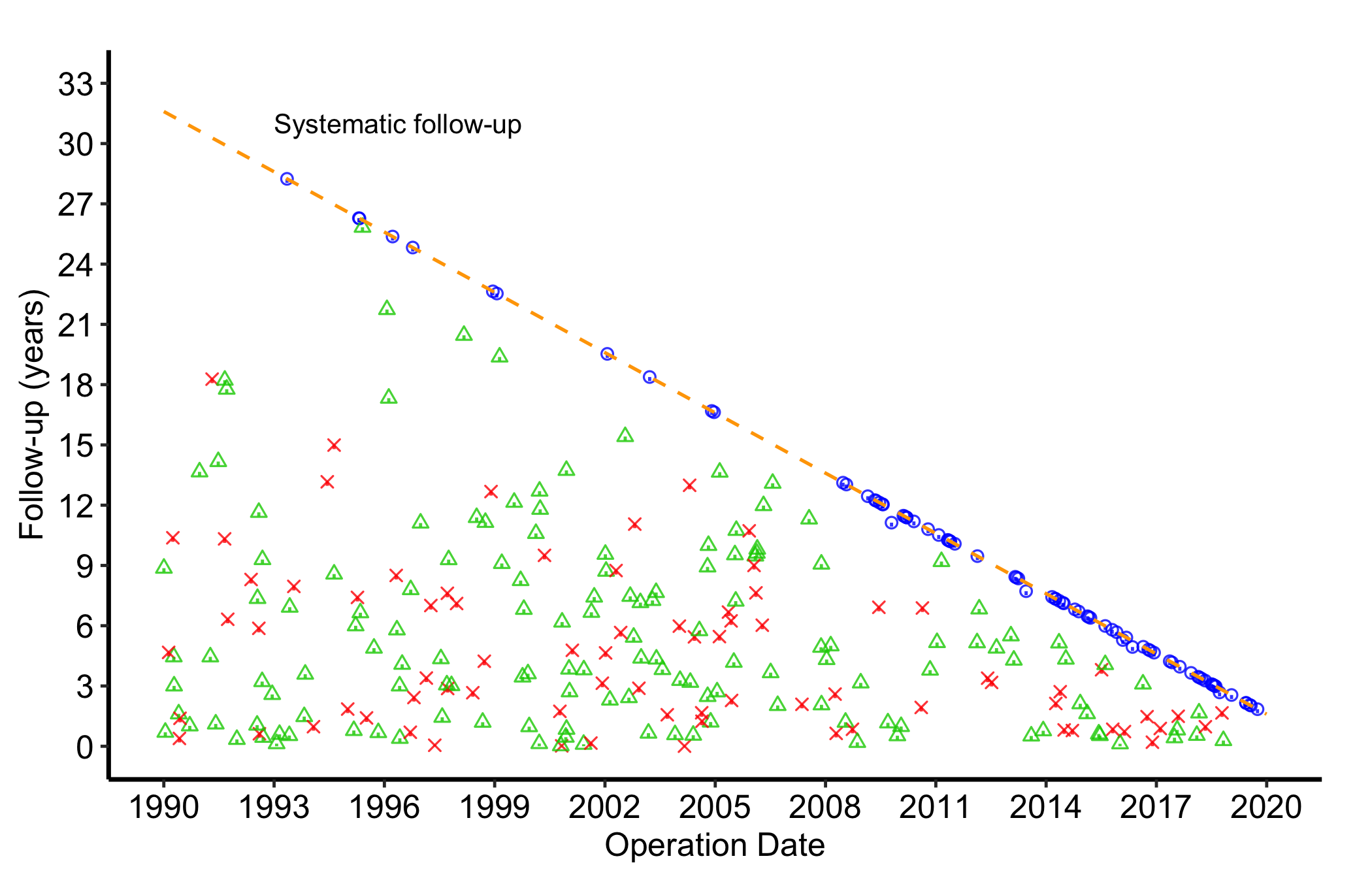
When the dataset carries a non-fatal competing event (relapse, reoperation), pass event_col, event_time_col, and optionally death_for_event_col to the constructor, then call plot() with type = "event". The panel then shows the three-way event status (no event, the non-fatal event, death) instead of the binary alive-or-dead split.
Figure 23.4: Goodness-of-follow-up plot showing three-way event status (no event, non-fatal event, death) for each patient
23.3 Pitfalls
Balance plots need long format. One row per covariate-by-group combination. Hand hv_balance() a wide table and you get one point per covariate instead of the before-and-after pair; reshape first.
Distinguish the groups. If the before and after points sit on top of each other for every covariate, check that the group column actually has two distinct levels. Identical points usually mean a labelling slip, not perfect matching.
A single threshold is a guide, not a verdict. The ten-percent lines are a convention. A covariate just past them may matter clinically or may not; judge it against what the variable is, not the line alone.
The follow-up diagonal depends on the dates.study_start, study_end, and close_date set where the line falls. Get one wrong and every point looks mis-placed relative to it. Confirm the three dates against the protocol before reading the figure.
Above the line is not a data error. Points above the diagonal reflect passive surveillance reaching past active contact. Do not “clean” them away; they are part of why the follow-up is good.
Ehrlinger, John. 2026. hvtiPlotR: HVTI Ggplot2 Themes and Clinical Plot Functions for the Cleveland Clinic Heart & Vascular Institute. https://github.com/ehrlinger/hvtiPlotR.